My husband has an iPad he recently repaired all by himself
{so proud of him} and he gave me a Kindle for my birthday, so between us we use
a lot of apps, most of which are games. Not entirely sure why that's the case
but it is. Anyway, here's some mini reviews of the apps we use the most often.
 Frozen Free Fall:
This is a clever fun little game where you match colorful gems to create
power-ups and work your way through the puzzles laid out to keep pace with the
movie. But there are bonus levels too that take you into the world of Frozen, beyond the movie. A whole
seasons themed area has little mini sections for Autumn, Spring, Christmas,
birthdays, Valentine's Day and the short film, Frozen Fever. And even more unlocked levels await us in the Endless
section featuring the fun little snow creatures Elsa sneezed out in the short.
We usually play with the sound off, but when it's on to entertain Baby, the
sounds are quite fun and not as annoying as some games. Baby loves this game
{though she's still figuring out just how to swap the gems around and she's
always using our power-ups at random; those things are hard to get}, and I'm
sad to say, we've happily invested hours in playing this game as a family.
Frozen Free Fall:
This is a clever fun little game where you match colorful gems to create
power-ups and work your way through the puzzles laid out to keep pace with the
movie. But there are bonus levels too that take you into the world of Frozen, beyond the movie. A whole
seasons themed area has little mini sections for Autumn, Spring, Christmas,
birthdays, Valentine's Day and the short film, Frozen Fever. And even more unlocked levels await us in the Endless
section featuring the fun little snow creatures Elsa sneezed out in the short.
We usually play with the sound off, but when it's on to entertain Baby, the
sounds are quite fun and not as annoying as some games. Baby loves this game
{though she's still figuring out just how to swap the gems around and she's
always using our power-ups at random; those things are hard to get}, and I'm
sad to say, we've happily invested hours in playing this game as a family.
Pros: Very colorful and accurately follows the movies. Love
being able to earn power-ups by collecting stars and fun little goodies in the
newer levels. The daily online reward is fun too but only works with internet
of course.
Cons: Some of the levels are very hard because they don't
give you enough moves to complete the levels. We've literally spent three weeks
trying to pass one level before giving in and buying some power-ups with a gift
card we won.
In all, I'd give this game nine stars out of ten.
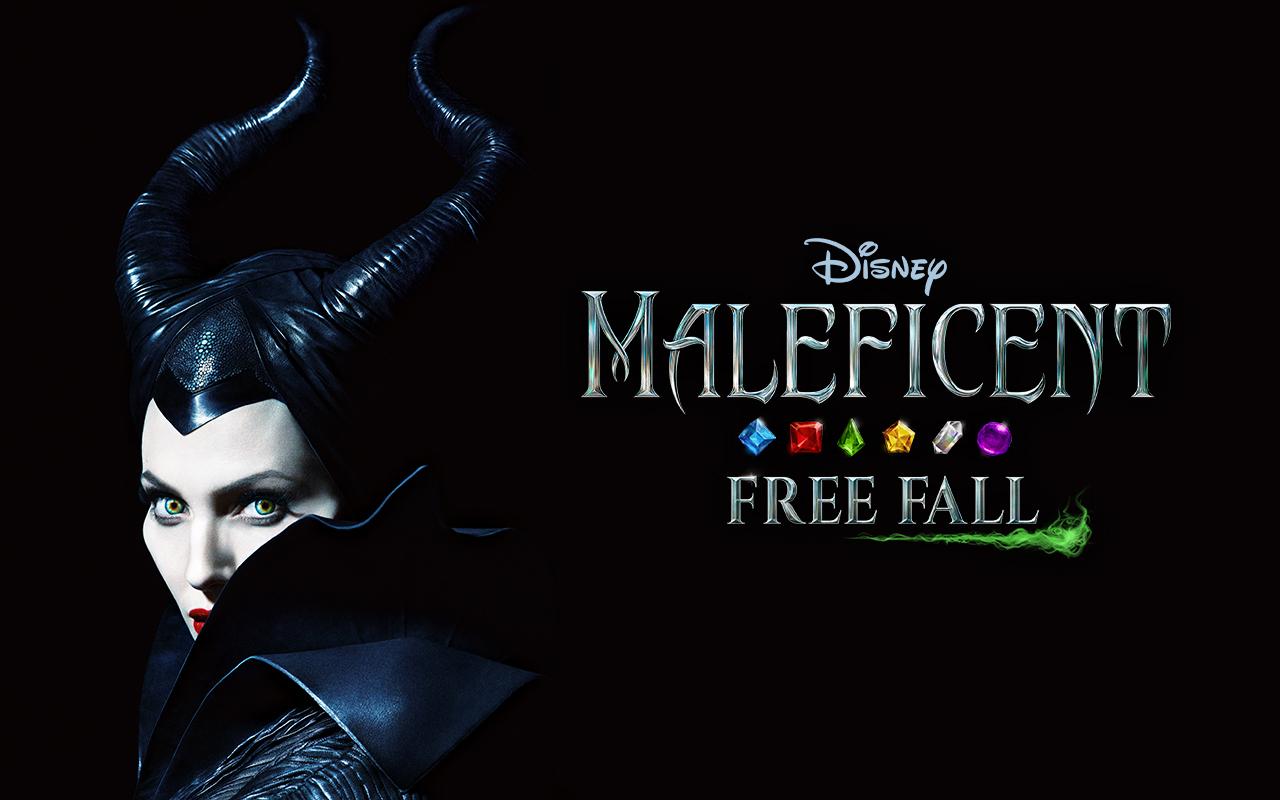 Maleficent Free Fall:
Brought to you by the makers of Frozen
Free Fall comes a fun gem matching game that follows the plot of the movie Maleficent and provides hours of fun. In
contrast to the Frozen game, this one
is colored in dark metallic shades and in the daily internet check-in, you
receive a certain amount of magic that can be used in the game itself, rather
than randomly choosing a power-up. This is a nice change; you get to see what
you're getting rather than pinning your hopes on a power-up you really need and
end up not getting. I haven't played this game as much as Frozen, but I've tried it and my husband loves it. The whole layout
is very similar to the Frozen game but you earn magic instead of stars and this
magic can be used in the game. Very nice.
Maleficent Free Fall:
Brought to you by the makers of Frozen
Free Fall comes a fun gem matching game that follows the plot of the movie Maleficent and provides hours of fun. In
contrast to the Frozen game, this one
is colored in dark metallic shades and in the daily internet check-in, you
receive a certain amount of magic that can be used in the game itself, rather
than randomly choosing a power-up. This is a nice change; you get to see what
you're getting rather than pinning your hopes on a power-up you really need and
end up not getting. I haven't played this game as much as Frozen, but I've tried it and my husband loves it. The whole layout
is very similar to the Frozen game but you earn magic instead of stars and this
magic can be used in the game. Very nice.
Pros: Magic you can use in the game and collect online,
fairly easy levels so far and laid out in a fun book-style format.
Cons: The fill-the-bottle levels are the hardest and it's a
little dark at times but that could just be me when I turn the brightness down.
All in all, I'd say nine and a half stars for this one.
 Cinderella Free Fall:
The third game in the line-up, this one is rather unique compared to its
predecessors. In the main way it differs is that instead of swapping out gems
to make a match, you trace a connecting line through gems of the same color
with your finger. You can make some pretty fancy power-ups this way and get al
creative in just how twisty you make your moves, but you run out of moves very
quickly. And the daily online check in is a wheel you spin {like in Wheel of Fortune} and whatever it lands
on is what you get, but the prizes go up in value when you check in every day
so that's a nice bonus. And it's a very light colorful game with cute mouse as
companions. I haven't seen the movie yet so I don't know how accurately it
follows the plot.
Cinderella Free Fall:
The third game in the line-up, this one is rather unique compared to its
predecessors. In the main way it differs is that instead of swapping out gems
to make a match, you trace a connecting line through gems of the same color
with your finger. You can make some pretty fancy power-ups this way and get al
creative in just how twisty you make your moves, but you run out of moves very
quickly. And the daily online check in is a wheel you spin {like in Wheel of Fortune} and whatever it lands
on is what you get, but the prizes go up in value when you check in every day
so that's a nice bonus. And it's a very light colorful game with cute mouse as
companions. I haven't seen the movie yet so I don't know how accurately it
follows the plot.
Pros: Very fun layout, lots of fun to make matches and the
spinning wheel is great!
Cons: You really do run out of moves incredibly fast. I'd
like it if there were moves and if you didn't have to buy the Fairy Godmother
or extra moves for much fairy dust.
My rating is about eight stars out of ten.
 Inside Out Thought
Bubbles: Brought to you by the makers of Frozen, Maleficent and Cinderella Free Fall, this game is truly unique in the line-up. Featuring all the fun
characters from the movie {some of whom you have to unlock as you progress
through the game} with their own unique power-ups, this game lets you relax and
enjoy quite little mini sessions of shooting bubbles up at other bubbles to
match the right colors and clear the board {or test your shooting skills or
whatever the current level may be}. Joy cheerfully encourages you onward while
Sadness just looks hopeful and Angry blasts his way through everything. We
haven't unlocked anyone else yet. The baby particularly loves this game and
opens it to play all by herself, though she has yet to actually beat a level.
She just likes launching bubbles and listening to the characters' commentary.
As far as we know, there is no online check in for more power-ups and we can't
figure out how to get more diamonds to buy the needed power-ups. We've been
stuck on one level for what feels like months now. Oh well.
Inside Out Thought
Bubbles: Brought to you by the makers of Frozen, Maleficent and Cinderella Free Fall, this game is truly unique in the line-up. Featuring all the fun
characters from the movie {some of whom you have to unlock as you progress
through the game} with their own unique power-ups, this game lets you relax and
enjoy quite little mini sessions of shooting bubbles up at other bubbles to
match the right colors and clear the board {or test your shooting skills or
whatever the current level may be}. Joy cheerfully encourages you onward while
Sadness just looks hopeful and Angry blasts his way through everything. We
haven't unlocked anyone else yet. The baby particularly loves this game and
opens it to play all by herself, though she has yet to actually beat a level.
She just likes launching bubbles and listening to the characters' commentary.
As far as we know, there is no online check in for more power-ups and we can't
figure out how to get more diamonds to buy the needed power-ups. We've been
stuck on one level for what feels like months now. Oh well.
Pros: Very fun easy to play colorful game with a happy
undertone and you get to shoot stuff, so win-win, right?
Cons: A handful of levels are harder than others {like the
one we're stuck on since they don't give you nearly enough bubbles to get
through to the end}, there's no daily check-in thingy and no clear way to get
more diamonds.
So a seven out of ten stars.
 Plants vs. Zombies:
This is considered my husband's game and he was thrilled when, out of boredom
from being stuck on Frozen Free Fall,
I got into it too. In this game there are several worlds {I want to say eleven
but he has the iPad so I can't count for sure} with different themes and as you
work your way through the levels, you use plants with different abilities to
defeat different types of zombies. Along the way you encounter new zombies,
unlock new plants and earn various rewards {mostly gold and a few keys that are
useful for unlocking new worlds}. Some of the world themes are Ancient Egypt
{my favorite}, Medieval, Pirates, the Wild West, the Beach and the 1980s which
is the newest and rather random if you think about it. My husband has gone
through all the levels and is currently stuck on one of the final levels in the
1980s world. To make this game even more fun, there is a daily Piñata Party where
you go online, update the party deal {you can play it offline later} and use
assorted plants to beat assorted zombies to whack open some piñatas and get
cool prizes - or just really stupid plant costumes. Btw, this is a review of
the newer version of the game. The older version is slower and not as shiny or
interactive in some areas. The baby likes to pick out plants for us though.
Plants vs. Zombies:
This is considered my husband's game and he was thrilled when, out of boredom
from being stuck on Frozen Free Fall,
I got into it too. In this game there are several worlds {I want to say eleven
but he has the iPad so I can't count for sure} with different themes and as you
work your way through the levels, you use plants with different abilities to
defeat different types of zombies. Along the way you encounter new zombies,
unlock new plants and earn various rewards {mostly gold and a few keys that are
useful for unlocking new worlds}. Some of the world themes are Ancient Egypt
{my favorite}, Medieval, Pirates, the Wild West, the Beach and the 1980s which
is the newest and rather random if you think about it. My husband has gone
through all the levels and is currently stuck on one of the final levels in the
1980s world. To make this game even more fun, there is a daily Piñata Party where
you go online, update the party deal {you can play it offline later} and use
assorted plants to beat assorted zombies to whack open some piñatas and get
cool prizes - or just really stupid plant costumes. Btw, this is a review of
the newer version of the game. The older version is slower and not as shiny or
interactive in some areas. The baby likes to pick out plants for us though.
Pros: Mostly funny non-graphic zombies and creative fun
plants that you can pick and choose from in any level in any world once you've
unlocked them {which makes it easier to beat some levels}, and you can keep
doing stuff on it like the daily party and the endless levels once you've blown
through the world levels. And you have a cool interactive garden area to grow
boosted plants - very useful for some levels.
Cons: Some of the costumes are really stupid, a handful of
levels are pretty tricky and the 1980s world is just weird to me, but my
husband likes it so no worries.
For a rating I'd give this game nine out of ten stars.
 Calendar: We use
the calendar app that came on the iPad and I downloaded a free calendar called WeCal for my Kindle. On the iPad calendar you can stick in all kinds of events,
link it up to your Google or FaceBook calendars, and edit the events pretty easily.
I like being able to touch an event and edit it right there without too much
hassle. On the Kindle, the WeCal is similar but it works better when you click
the New Event button. You can change the color of events which is really nice
and you can put to do items write on the calendar. It's a little tricky to set
the time and I can't make the anniversaries a yearly event like I can with
birthdays. The reminders are also not as good as the ones on the iPad but
that's okay.
Calendar: We use
the calendar app that came on the iPad and I downloaded a free calendar called WeCal for my Kindle. On the iPad calendar you can stick in all kinds of events,
link it up to your Google or FaceBook calendars, and edit the events pretty easily.
I like being able to touch an event and edit it right there without too much
hassle. On the Kindle, the WeCal is similar but it works better when you click
the New Event button. You can change the color of events which is really nice
and you can put to do items write on the calendar. It's a little tricky to set
the time and I can't make the anniversaries a yearly event like I can with
birthdays. The reminders are also not as good as the ones on the iPad but
that's okay.
Pros: For both calendars, it's very easy to navigate once
you figure out what you're doing and it's easy to add events and such. On the
Kindle calendar, I love being able to color code my events. And the iPad
calendar has a great selection of reminders and adding yearly events.
Cons: The Kindle calendar was tricky to figure out at first
and won't let me make anniversaries a yearly thing. The iPad calendar doesn't
give me the option to color code stuff as far as I know.
So my rating for both is seven stars.
 US Bank: This is
the banking system we use so my husband put the app on the iPad and I have to
say, this is a great app! It's secure and remembers your stuff, it's new design
is sleek and stylish, it's easy to navigate and use, and it has made managing
our finances much easier - particularly in the cashing the check department
since my husband can do it with our home internet and not worry about getting
to the bank before it closes {which is when he gets off work}.
US Bank: This is
the banking system we use so my husband put the app on the iPad and I have to
say, this is a great app! It's secure and remembers your stuff, it's new design
is sleek and stylish, it's easy to navigate and use, and it has made managing
our finances much easier - particularly in the cashing the check department
since my husband can do it with our home internet and not worry about getting
to the bank before it closes {which is when he gets off work}.
Pros: Love being able to quickly and easily deposit a check
and move funds around our accounts, and the design is really nice.
Cons: Can't think of any since forgetting the password was
my own fault.
Ten stars out of ten!
 Bubble Explode:
This is a fun little app that is basically several little mini games rolled
into one. The different games are Bubble
Shooter {you shoot bubbles at groups of other colorful bubbles to move onto the
next level}, a classic bubble swapping game, a fun popping level and a few
others like a neat math one and such. It's a very colorful fun game despite
it's company logo being a dark spooky house. You can change the bubbles to
pumpkins, gems and plain old white bubbles instead of colorful ones. There's an
angle changer for the shooting game and you can collect pearls by making shapes
like squares, stairs, Ts, etc. It's a good game for killing time and trying to
keep the baby occupied.
Bubble Explode:
This is a fun little app that is basically several little mini games rolled
into one. The different games are Bubble
Shooter {you shoot bubbles at groups of other colorful bubbles to move onto the
next level}, a classic bubble swapping game, a fun popping level and a few
others like a neat math one and such. It's a very colorful fun game despite
it's company logo being a dark spooky house. You can change the bubbles to
pumpkins, gems and plain old white bubbles instead of colorful ones. There's an
angle changer for the shooting game and you can collect pearls by making shapes
like squares, stairs, Ts, etc. It's a good game for killing time and trying to
keep the baby occupied.
Pros: Very easy to change themes and play the various
levels. When you connect to the internet you get fifty free pearls without
having to do anything which is nice.
Cons: The baby knows how to exit out way too easily.
So ten out of ten stars!
 Bejeweled: This
is another fun app that contains a few different games {kind alike when you buy
your favorite book series in a boxed set}. There is a Zen level, a Classic
level, a neat Mining level, a random Lightening level and a very fun Butterfly
level. Classic and Zen are basic; you just swap the colorful gems around to
make matches and progress to the next level.
In the Lightening mode, you have a time limit and have to make matches
to get more time or you'll get zapped by lightening and have to start over. I
don't usually play that level. In the Mining mode, you have to make matches to
drill down and uncover treasures, but you have a time limit and when the time
is up, your drill explodes. And in the Butterfly level, the gems turn into
butterflies that creep up toward the top of the screen where a spider waits to
kill them. You have to save them by making matches with them. Pretty tricky
sometimes but very fun and you only have to beat yourself at this game.
Bejeweled: This
is another fun app that contains a few different games {kind alike when you buy
your favorite book series in a boxed set}. There is a Zen level, a Classic
level, a neat Mining level, a random Lightening level and a very fun Butterfly
level. Classic and Zen are basic; you just swap the colorful gems around to
make matches and progress to the next level.
In the Lightening mode, you have a time limit and have to make matches
to get more time or you'll get zapped by lightening and have to start over. I
don't usually play that level. In the Mining mode, you have to make matches to
drill down and uncover treasures, but you have a time limit and when the time
is up, your drill explodes. And in the Butterfly level, the gems turn into
butterflies that creep up toward the top of the screen where a spider waits to
kill them. You have to save them by making matches with them. Pretty tricky
sometimes but very fun and you only have to beat yourself at this game.
Pros: Very colorful fun game that can easily kill several
hours at once. Love being able to pick different modes to play in {Butterfly
and Mining are my favorites}.
Cons: Some of those darn butterflies just won't be saved. Oh
well.
My rating is ten out of ten stars.
Pros: All very colorful candy with fun power-ups when you
make the right matches and you get an online daily wheel spin for bonus
power-ups and such which is nice.
Cons: The timed levels start ticking the clock immediately
instead of waiting for you to start your fist move and you don't get to keep
making moves while a special power-up blows up in one corner of the screen. The
Kindle doesn't seem to like games much because it takes its time loading them
and will glitch once in awhile. It's more for books anyway. And waiting to
start the next set of levels is unexpected.
In all, I'd say a six out of ten for this game.
Anyway, those are the most frequently used apps in my
household. We do use Facebook, Gmail, Pinterest, Google Maps, Reminders and a
couple period calendars I'm experimenting with on my Kindle but those are
currently ranked low. They might feature in a future mini app review so you
never know. My husband has several games I didn't review that he loves playing
but I doubt I'll get him pinned down long enough to write a review on them and
I haven't played games myself so I can't speak from personal experience on
them. Anyway, have fun!


No comments:
Post a Comment